
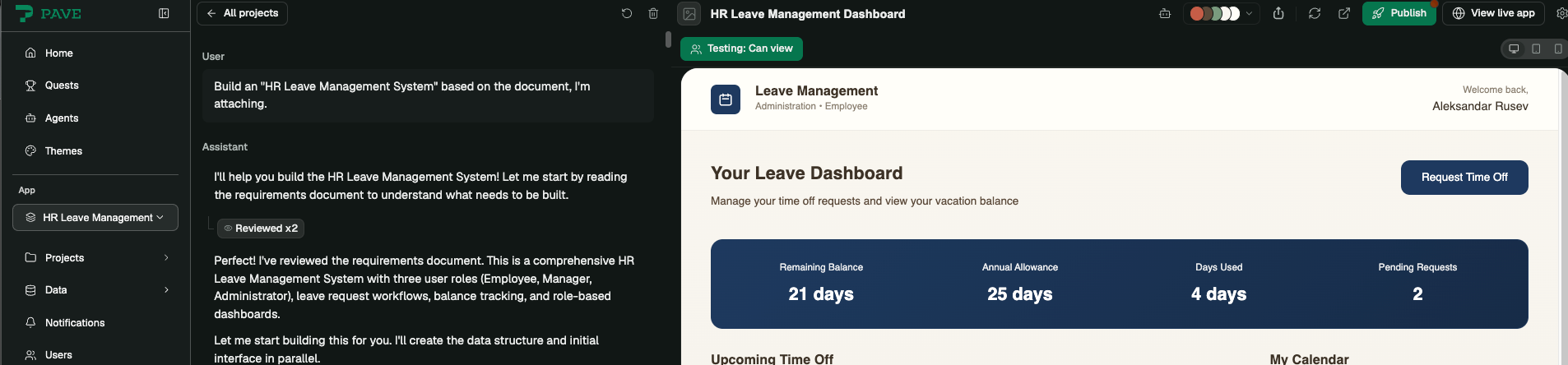
I’ve spent the last few months poking at just about every vibe-coding tool I could get my hands on, and most of them are good for the same thing: spinning up a slick prototype in an afternoon. Pave, Quickbase’s entry into the space, is the first one that made me think – wait, this is actually ready to ship to a client.
What Pave Actually Is (and Who It’s For)
Most vibe-coding tools stop at “impressive demo.” Pave is built for the step after that – shipping enterprise-level software your company will actually run production workflows on. That’s the whole pitch, and it’s also the thing that separates it from the rest of the pack I’ve tried, like Lovable.
The other piece that matters: Pave isn’t a standalone experiment bolted onto an LLM. It’s built on top of Quickbase, a low-code/no-code platform that’s been around for close to 30 years and already runs business processes for thousands of companies. That foundation shows up immediately – every app you generate comes with:
- Table and relationship management, already wired up
- A notifications engine that just works
- User and role management, out of the box
Putting It to the Test: An HR Leave Management System
Talk is cheap, so I decided to actually build something with teeth: an HR Leave Management System – the kind of tool nearly every company needs and almost nobody enjoys building.
The Brief
Here’s a shortened version of the requirements I gave Pave (the full spec is in this PDF):
- Three roles: HR Administrator, Manager, and Employee
- Employees submit leave requests; their manager approves or rejects them
- HR assigns managers to employees and sets each employee’s leave allowance
- Employees can see their remaining balance and request history
- Managers and employees can view a shared team leave calendar
Managers and employees can view a shared team leave calendar
Prompting Pave: Why Specificity Wins
No matter which vibe-coding tool you’re using, the output is only as good as the brief. There’s really one rule that matters more than any other:
Vague requirements get you a vague app. Specific requirements get you a working one.
If you’re building anything beyond a toy project, it’s worth the hour it takes to sit down and actually think through the details — with AI or without it. A few questions I always work through first:
- What data does the app need to store, and how is it structured?
- What roles exist, and what can each one actually do?
- How should that data be presented back to the user?
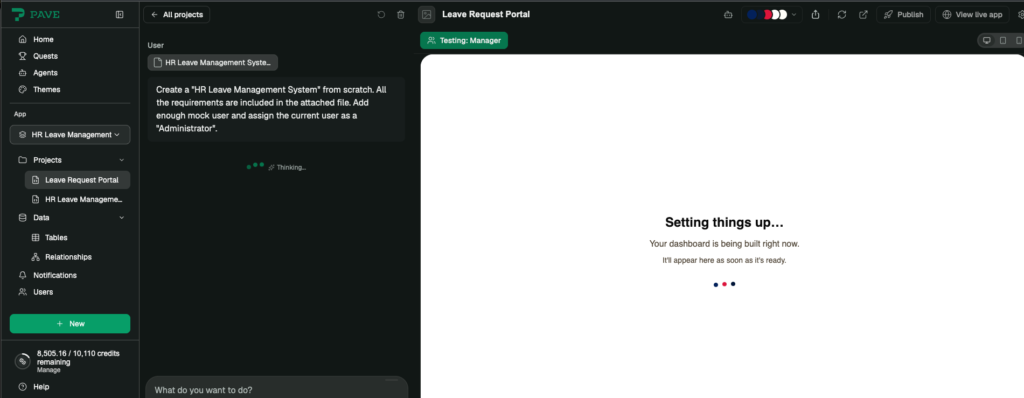
My requirements ended up running fairly long, so rather than paste a wall of text into the prompt box, I wrote them up as a PDF and attached it directly (you can grab the file here). Pave chewed through it and had a working app ready in about 15 minutes.
Round Two: Fixing Roles and Squashing a Bug
The first pass was close, but required some refinement, which, honestly, is exactly what I expected. The main thing I wanted to change was role management: The Pave had generated custom roles inside the app, but I wanted to use its built-in role system instead, since it makes switching between roles during testing much easier. Two follow-up prompts later, that was done.
While testing each role end to end, I also caught a real bug – managers couldn’t see leave requests from employees assigned to them. I flagged it, and Pave had it fixed within minutes.
Lesson learned: always re-test your workflows after a fix. AI tools are just as capable of introducing a new bug while patching an old one as a human developer is.
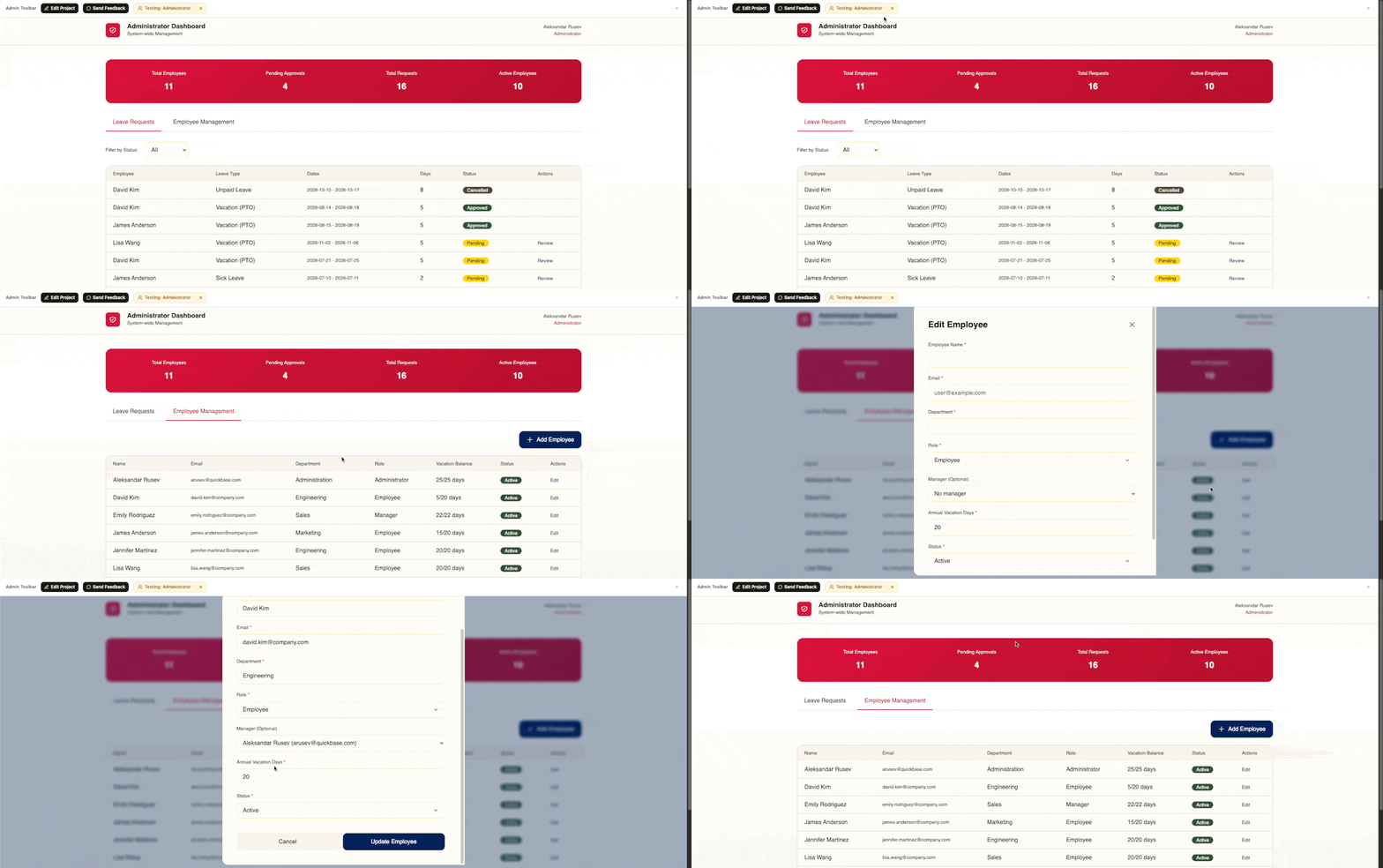
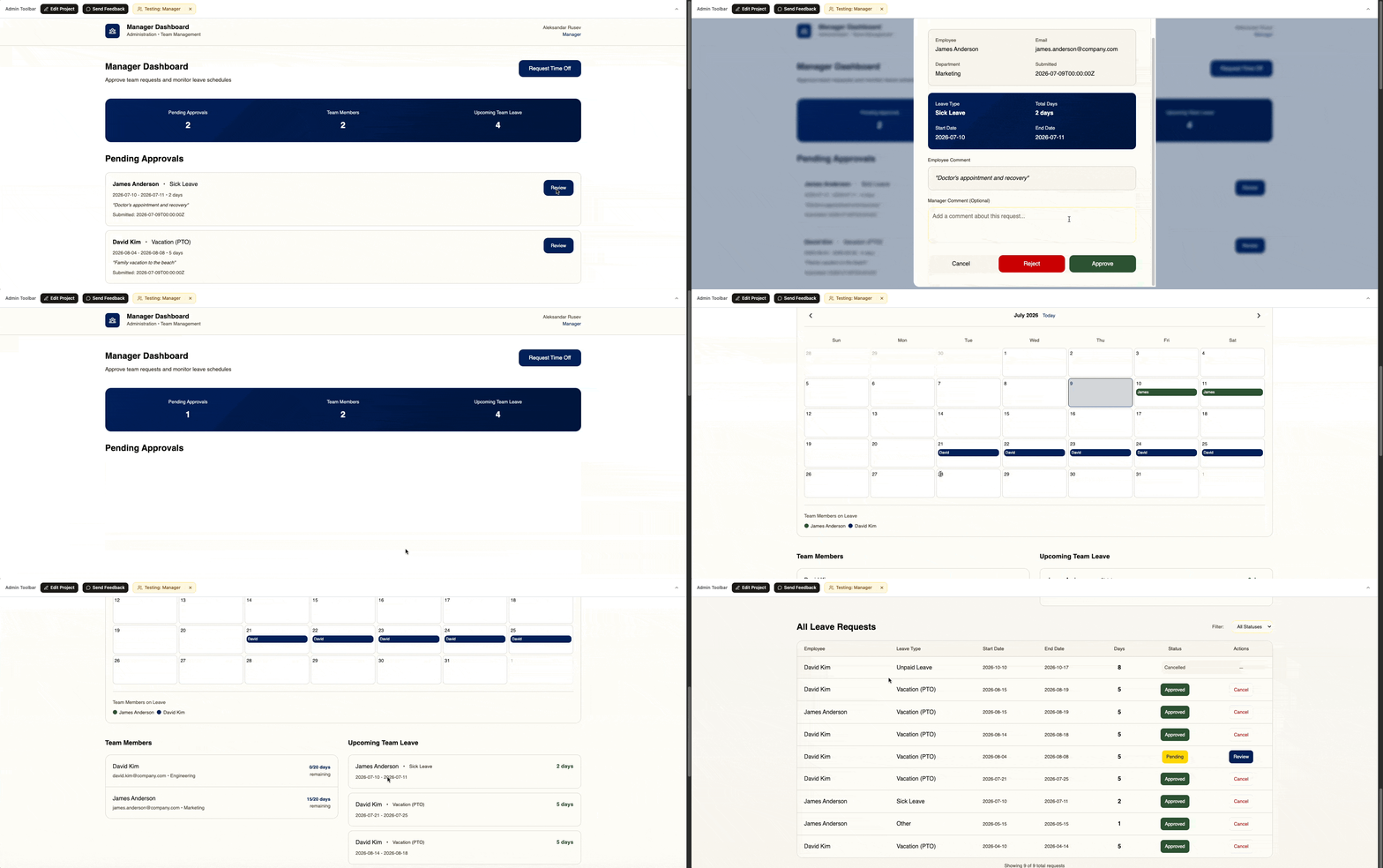
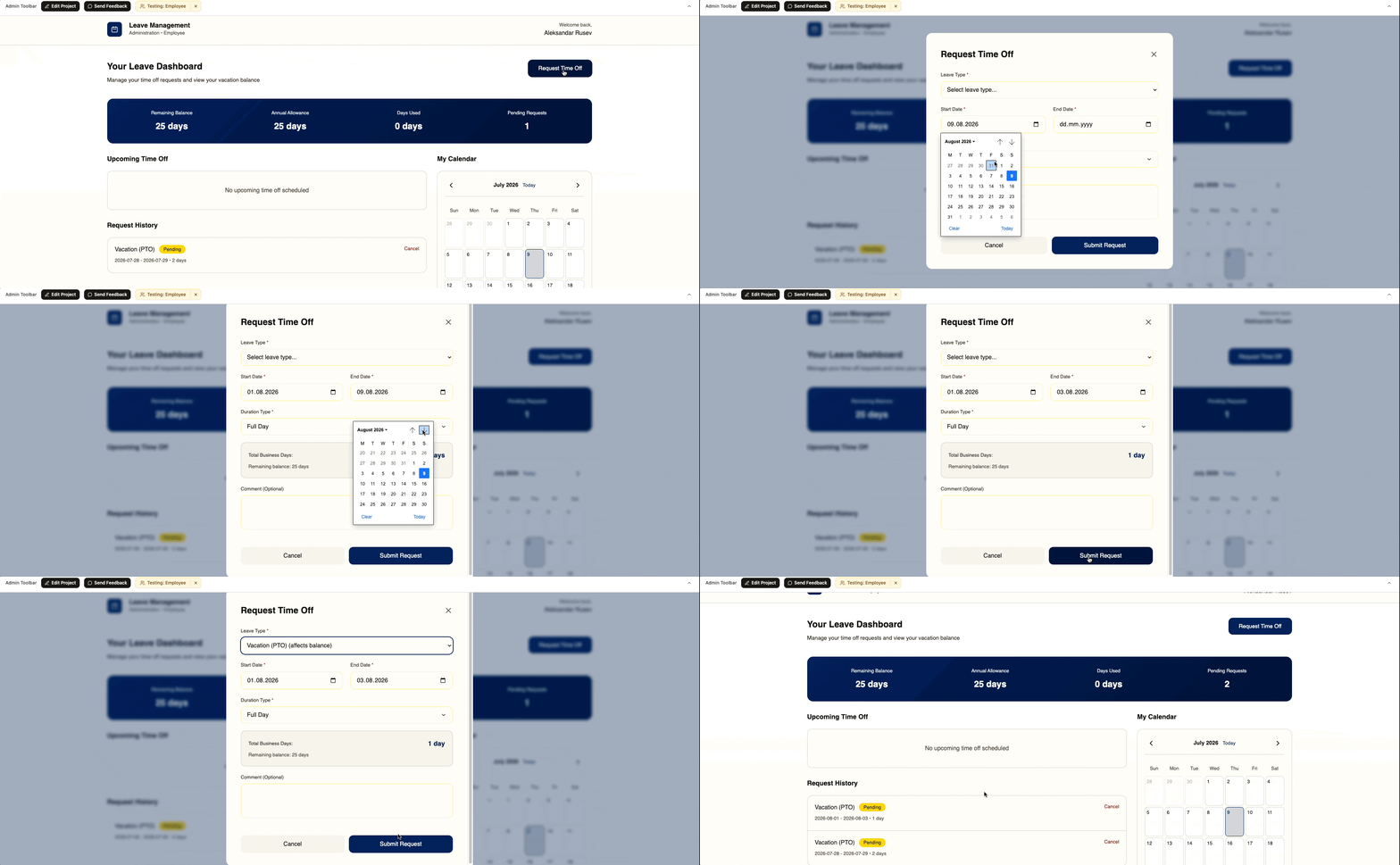
Here’s the app in action, walked through from each role’s perspective:
Pushing Further: Adding new features in Pave
At this point the app was usable, but I wanted to see how Pave handled a feature with real business logic behind it, not just another CRUD screen. Bank holidays felt like a good test: HR needed to assign each employee a country and manage that country’s holidays, and those holidays needed to interact correctly with everyone’s PTO balance. Here’s the prompt I gave it:
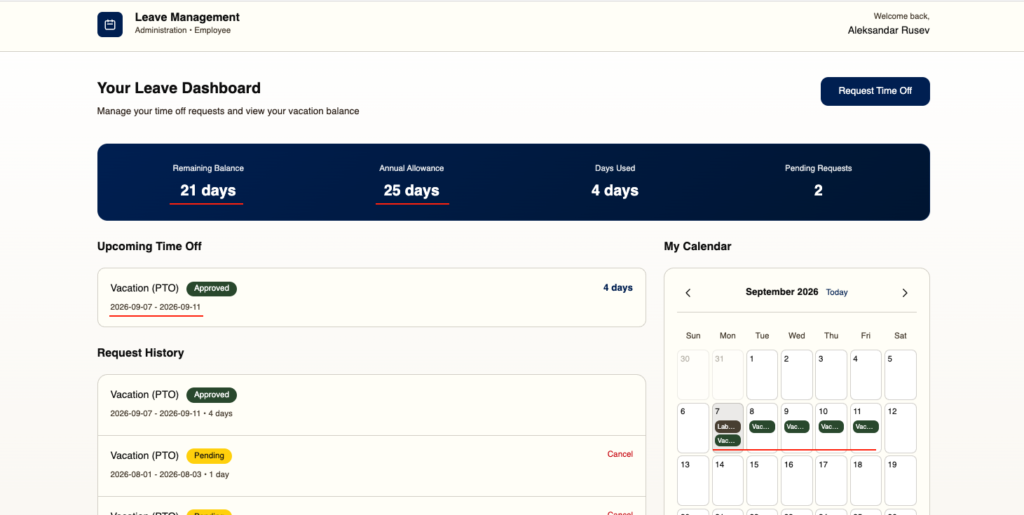
Each employee should have a Country field, defaulting to ‘United States.’ HR Administrators must be able to update an employee’s country and add bank holidays for any country with employees assigned to it. Once bank holidays are set, managers and employees should see them on their calendars – and if a bank holiday overlaps with an approved PTO day, that overlapping day shouldn’t count against the employee’s balance.
The Final Result
This is the point where Pave genuinely surprised me. The feature worked first try – no bugs, no follow-up prompts needed. It even went a step further and pre-populated the official bank holidays for the US, which saved the HR Administrator the tedious job of entering them by hand.
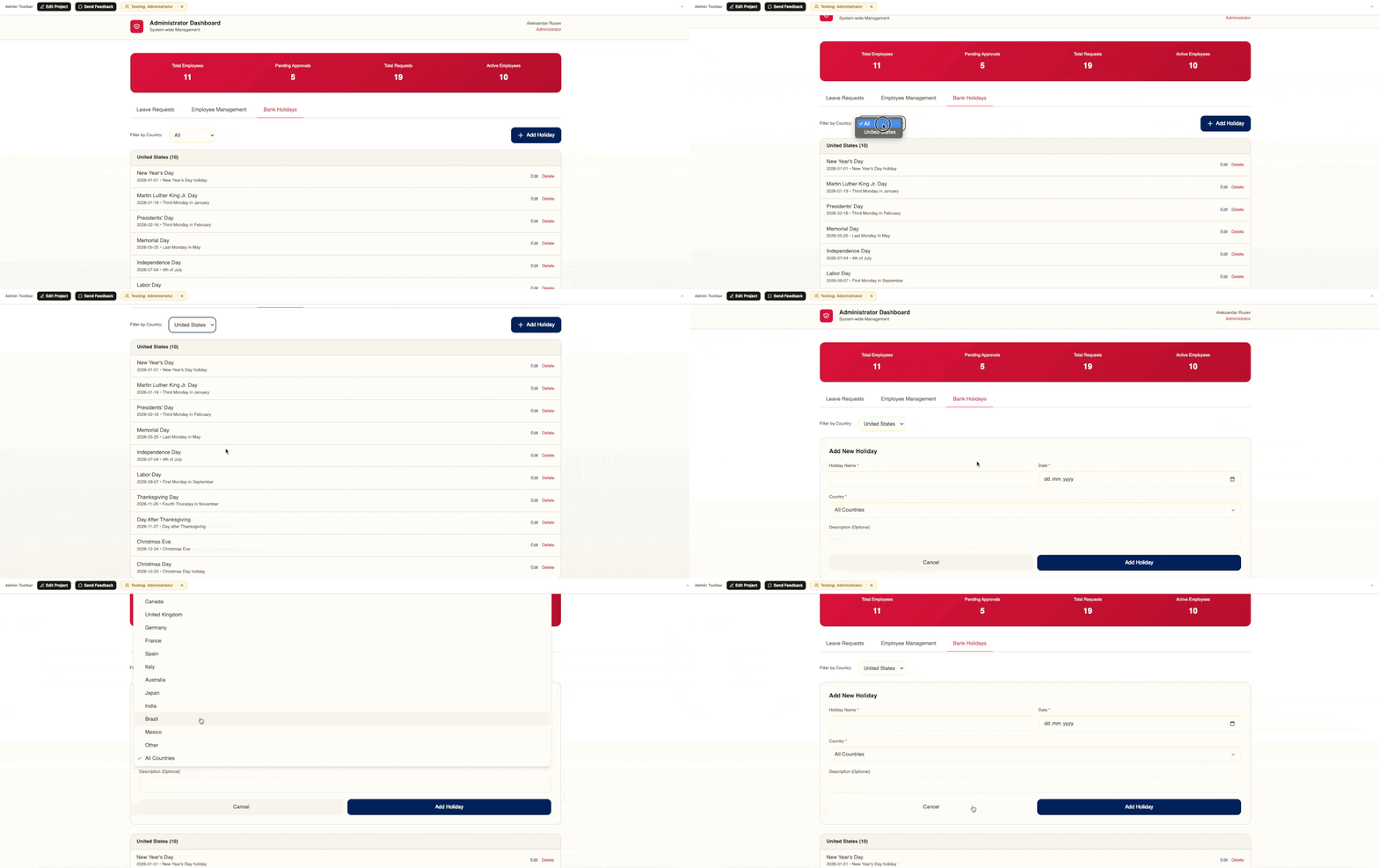
Below, you can see the new Country field on the employee record, along with the HR Administrator’s view for managing bank holidays and how each employee now sees the bank holidays in his calendar.
My Verdict: Is Pave worth it?
What I ended up with is a genuinely usable HR Leave Management System, built in two to three hours of actual building, testing, and prompting – on top of the hour or two I’d already spent planning the requirements. Even counting the planning time, that’s a fraction of what it would normally take a team of five or more developers to deliver over a few months. Pave isn’t the only vibe-coding tool that can generate serious, complex software. But it’s the one I’ve used that’s clearly built with enterprise and business users in mind, and it’s the only one where the output felt production-ready rather than demo-ready.